

Agencies want perfection. Developers want speed and reliability. Clients usually want a website their team can actually use.
That’s where the Bootstrap vs Pixel Perfect conversation matters. One approach favours structure, speed, and repeatability. The other favours precision, control, and custom presentation. Neither is automatically better. The right choice depends on how your team needs to build, update, and manage the website after launch.
Bootstrap Supports Speed, Flexibility, and Usability
A powerful no-code approach, Bootstrap has been a favourite among developers and users since it was conceived in 2010 by Twitter engineers. It includes pre-designed components that fit into a grid to create page layouts. Editing these layouts doesn’t always require a developer, but developers are still needed to create the templates, modules, and rules that let users build pages consistently.
Major CMS platforms use similar ideas to help end users build pages more efficiently. Global styles, content modules, and grid-based layouts give teams a more consistent way to create responsive pages without starting from scratch every time.
What are Global Styles?
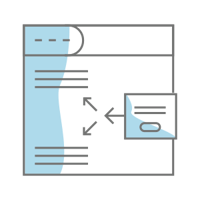
For visual consistency, common website elements such as fonts, colours, padding, image treatments, and borders are designed in the website's code. Doing so eliminates the need to style each item separately, which saves time and helps keep pages consistent. When global styling is applied to more complex components like headers and footers, it also makes updates faster and easier to manage without bringing a developer into every small change.
What are Content Modules?
Users can use modules to lay out a page quickly by adding, removing, and reordering sections. Individual modules can include settings for colours, padding, alignment, backgrounds, and other options. The key is having enough flexibility to build useful pages without giving users so much freedom that every page starts to drift.
Users can use any module or combination of modules to lay out a page quickly simply by adding or removing, and dragging them around the page. Individual modules can have settings for colours, padding, alignment, and backgrounds, and much more.
A 12-Column Grid is at the Core of Responsive Design
At Bootstrap's foundation is a 12-column grid framework, which enables responsive (mobile) design capabilities. Developers set breakpoints where the content to the right "wraps" under the content on the left. The idea is similar to how text wraps when the available space changes. Content types don't matter, lines of text wrap, modules wrap, plus developers can incorporate functionality to swap out desktop or mobile formatted content depending on device widths.
Each column can be customized in terms of width, offset, and order, providing a high degree of flexibility and control over the layout, no matter the device. Gutters between each column automatically space content evenly which helps avoid awkward spacing and inconsistent layouts.
Why Use Bootstrap?

Given the use of columns, global styles and modules, Bootstrap streamlines the development process. It contains an extensive collection of CSS and JavaScript components, which enable developers to create modern, responsive websites with significantly less effort than manual coding does. Plus, Bootstrap's responsive design elements ensure that websites look great across a variety of device widths, from smartphones to large desktops. Given our mobile-first world, responsive design supports a better user experience.
In the end, website owners who want to update content and manage pages need a structured approach. Bootstrap can support that, but the real value comes from how the website system is configured and maintained.
With Great Convenience Comes Certain Trade-offs
While Bootstrap provides a strong starting point, convenience still comes with tradeoffs.
Global settings make it easier to keep pages consistent, but users may still want control over specific sections. Inline styling can help in some cases, but too much one-off styling can create inconsistency over time.
The bigger issue isn’t whether Bootstrap makes sites look similar. It’s whether the website has clear standards for how pages, modules, styles, and layouts should be used.
Without those standards, even flexible tools can create drift. One landing page gets built one way. A service page gets built another way. A campaign page gets rushed. Over time, the site becomes harder to update, harder to scan, and harder to maintain.
Pixel Perfect Offers Precision
On the flip side of Bootstrap lies the long-established Pixel Perfect design approach. It’s an approach that prioritizes detailed control. This method ensures that every part of a webpage matches the designer's vision, true to provided mock-ups.

Pixel Perfect Design Prioritizes Control
Pixel Perfect design protects the integrity of the approved layout. Every section, spacing decision, and visual detail is built to match the intended design as closely as possible.
That level of control can be useful when a page has a very specific creative, technical, or brand requirement. Some pages need custom design. Some experiences are too specialized for standard page patterns.
The tradeoff is dependency. The more custom the page is, the more likely future changes will need design or development support. That may be worth it for the right page. It’s harder to sustain across a whole marketing website that needs regular updates.
Designers Design, Developers Develop
At the core of Pixel Perfect design is manually coding or carefully configuring a webpage to match the approved layout. This allows for detailed control over spacing, presentation, interaction, and design.
That control can be valuable. It can also slow routine updates when the marketing team needs to publish, test, revise, or expand content quickly.
Achieving Pixel Perfect Design can be Tedious
It demands a high level of skill and attention to detail, which can extend timelines and increase project costs. Maintaining that precision across devices, browsers, content changes, and future updates can also be difficult.
The main risk isn’t the design quality. It’s that the site may become harder for the team to manage after launch.
Which Website Approach Fits Your Team?
Choosing between Bootstrap and Pixel Perfect design depends on how the website will be used after launch. Platform, budget, and timeline matter, but so do update frequency, team ownership, campaign needs, SEO, AEO, and long-term maintainability.

Bootstrap is useful when speed, responsiveness, and repeatable page creation matter. It’s especially helpful when a team needs to manage content, create new pages, and support campaigns without reinventing the layout every time.
Pixel Perfect design is better suited to projects where precision, brand control, or a custom experience is central to the outcome. It usually takes more time, but that effort can be justified when the page needs a specific visual or interactive result.
Ultimately, the choice is not about right or wrong. It’s about fit. If the website needs frequent updates, campaign pages, SEO content, and team-managed changes, structure matters. If the experience needs custom control, Pixel Perfect may be the right choice. For many marketing websites, the strongest answer is a structured system that gives the team flexibility without letting the site drift.
Where HubSpot and DropZone Pro Fit
As a HubSpot Solutions Partner, we use structured editing tools because they support how marketing teams actually use websites. HubSpot themes, modules, global content, forms, CTAs, and reporting tools can all help make a website easier to manage.
But the tools alone don’t guarantee consistency. A HubSpot website still needs a system for how pages are structured, how modules are used, how content is maintained, and how the site supports campaigns, SEO, AEO, and reporting over time.
The Role of DropZone Pro
Themes contain the core structure and functionality needed to stand up a website. DropZone Pro gives customers a strong foundation of templates, modules, and page-building options.
The product matters, but it isn’t the full answer. The value comes from how Kayak configures the system, applies it across the site, and helps the team use it consistently.
That includes defined page patterns, reusable sections, global styling, structured content areas, and practical rules for how pages should be created and updated.
The goal isn’t to make the website less flexible. It’s to make flexibility easier to control.
Topics: Digital Strategy, HubSpot CMS, AEO